
DJ software for Mac
Cue it.Drop it.Mix all night.
Four decks. Beat sync that locks. 35 beat FX, a sampler and 16 hot cues a track. Bring your controller and you are in the mix.
Version 0.23.0 macOS 15+ · Apple silicon Signed + notarized

Now playing
Four tracks. One grid.
Every deck runs on its beat grid, so sync, loops, beat jump and quantized cues land on the beat. Tracks whose tempo moves get a grid that moves with them.

01Cue
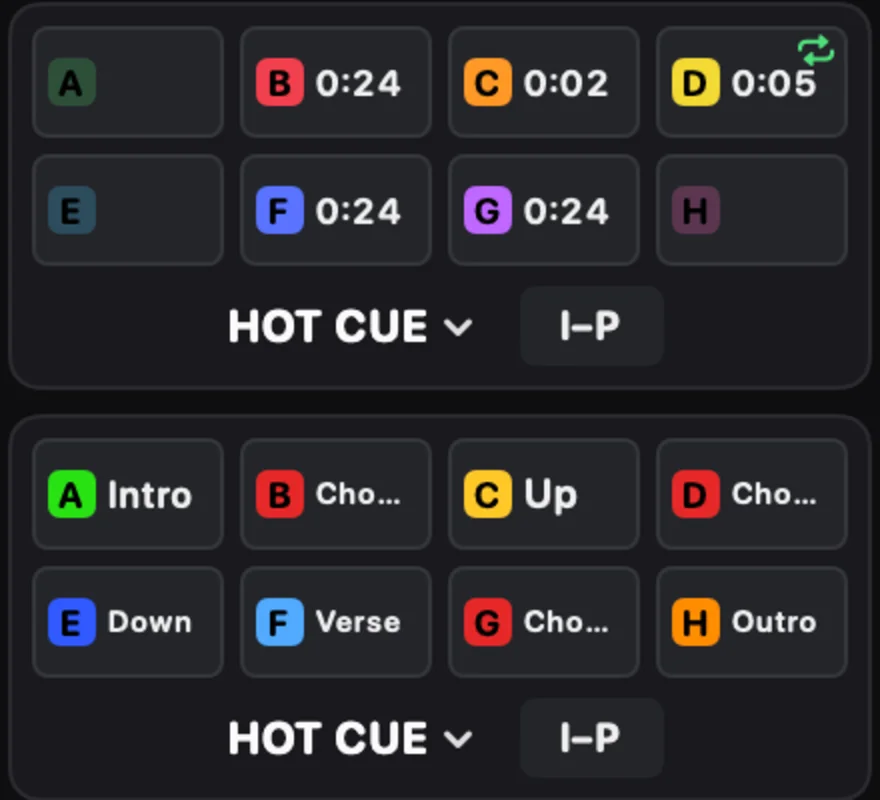
Hit every cue. Every time.
16 hot cues a track, coloured and named the way you want. Memory cues, loops from 1/16 to 8 beats, slip, reverse and beat jump from 1/8 to 128 beats. Quantize keeps every hit on the one.
02Sync
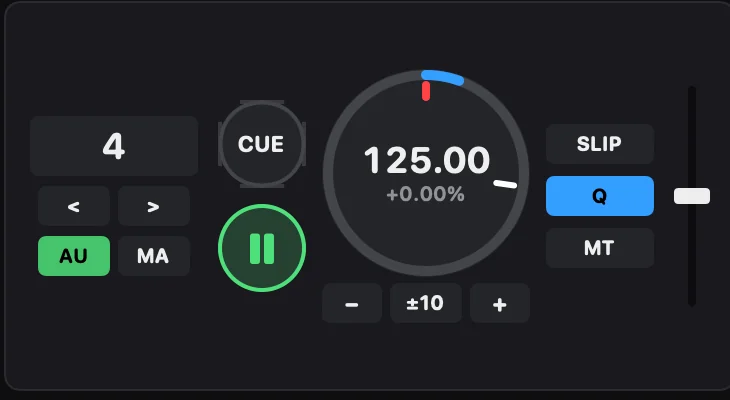
Locked. Even when the tempo moves.
BEAT SYNC locks tempo and phase. Master Tempo holds the key while you ride the pitch, KEY SYNC matches keys, and you can shift up to 12 semitones either way. Tempo range ±6, ±10, ±16 % or WIDE.
03FX
Build it up. Tear it down.
Two BEAT FX units with 35 effects, one at a time or three chained. RELEASE FX for the vinyl brake, echo or back spin out. Nine SOUND COLOR FX per channel, eight SMART CFX presets, MERGE FX build-ups and PAD FX on the pads.

04Mix
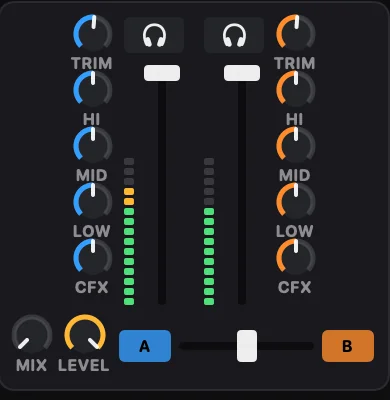
A full mixer and your own drops.
Trim, three-band EQ or isolator, colour FX, channel faders, crossfader curves and headphone cue. The sampler is quantized and BPM-synced, with sixteen starter sounds made by Mixqora: air horn, dub siren, riser, impact and more.
The tracklist
Everything else in the booth.
- 01
Layouts
2 or 4 decks, side by side or stacked, plus a browse layout for digging.
- 02
Library
Collection, playlists, histories, search, related tracks and tags.
- 03
Bring your crates
Import a library XML with playlists, cues and beat grids, or your Apple Music library.
- 04
Analysis
BPM, key, beat grid and phrases, intelligent cue creation and auto gain.
- 05
GRID EDIT
Fix a grid by ear, with undo.
- 06
Performance pads
Hot cue, pad FX, beat jump, beat loop, slicer, sampler and key shift.
- 07
SMART FADER
One fader blends tempo, low end and echo for a clean transition.
- 08
Auto Mix
Let Mixqora mix a playlist, bar by bar, while you take a break.
- 09
Rec
Record the master out of your set to a file on your Mac.
- 10
MIDI LEARN
Map any button, knob or pad of a MIDI controller.
- 11
English + Thai
The whole app speaks both.
- 12
Updates itself
New versions install from inside the app, signed and notarized by Apple.

Controllers
Your controller. Your mapping.
Mixqora is built to work with the gear you already own. Plug in a MIDI DJ controller, map it the way your hands expect, and play.
- Controllers with a ready-made mapping on your Mac connect by themselves
- MIDI LEARN maps the buttons, knobs, faders and pads of any MIDI controller
- One saved mapping per controller, and back to the default any time
- No controller with you? Play from the computer keyboard with shortcuts you set
Tested on hardware so far: DDJ-FLX4.
See all devicesLive
No trainwrecks.
Built for the booth, not for a demo video. Mixqora stays smooth from the opener to the last track.
Audio first
The audio engine runs on its own real-time thread. The screen and the library never make it wait.
Tested every release
Hundreds of automated checks and a stress soak run before each version ships.
Safe with any input
Every message from a controller is range-checked before it reaches the engine.
Download
Get in the booth.
Mixqora installs like any Mac app and keeps itself up to date.
Download for macOSVersion 0.23.09.8 MB.zip
Rider
- Mac with Apple silicon (M1 or later)
- macOS 15 Sequoia or later
- Headphones and a DJ controller recommended
Setup
- Open the downloaded .zip file
- Drag Mixqora into Applications
- Open it and load your first track
FAQ
Booth talk
01Which Macs does Mixqora run on?
Macs with Apple silicon (M1 or later) running macOS 15 Sequoia or later.
02Which controllers work?
Any MIDI DJ controller. Controllers with a ready-made mapping on your Mac connect by themselves; anything else you map in minutes with MIDI LEARN. You can also play from the computer keyboard.
03Can I bring my library?
Yes. Import a library XML export with your playlists, hot cues, memory cues and beat grids, or read your Apple Music library export. You can also add folders of music directly.
04Does Mixqora change my music files?
No. Your audio files stay exactly where they are. Cues, grids and analysis live in Mixqora's own library.
05Do I need internet in the booth?
No. Mixqora works fully offline. When you are online it checks for updates, nothing else.
06Is it safe to install?
Yes. Every build is signed with a Developer ID and notarized by Apple, and updates are verified with a cryptographic signature before they install.
07How do updates work?
Mixqora checks for new versions on its own and installs them for you. You can also pick Check for Updates in the Mixqora menu.
08Which languages does the app speak?
English and Thai. Mixqora follows the language you set for your Mac.